Guide
From download to your first Kliq Live, step by step.
1Getting started
- Download Kliq from the App Store or Google Play.
- Sign in with Apple (on iPhone) or with your email address: you’ll get a code to type in. Then pick your name.
- Create a group (for example "The Friends") or join someone else’s group.
- Invite your friends: in your group, tap Invite and share the link on WhatsApp, or give them the 6-character code.
- Turn on notifications. That way you know at 8 am that the question is up and at 8 pm that the results are in.
2Voting on the question of the day
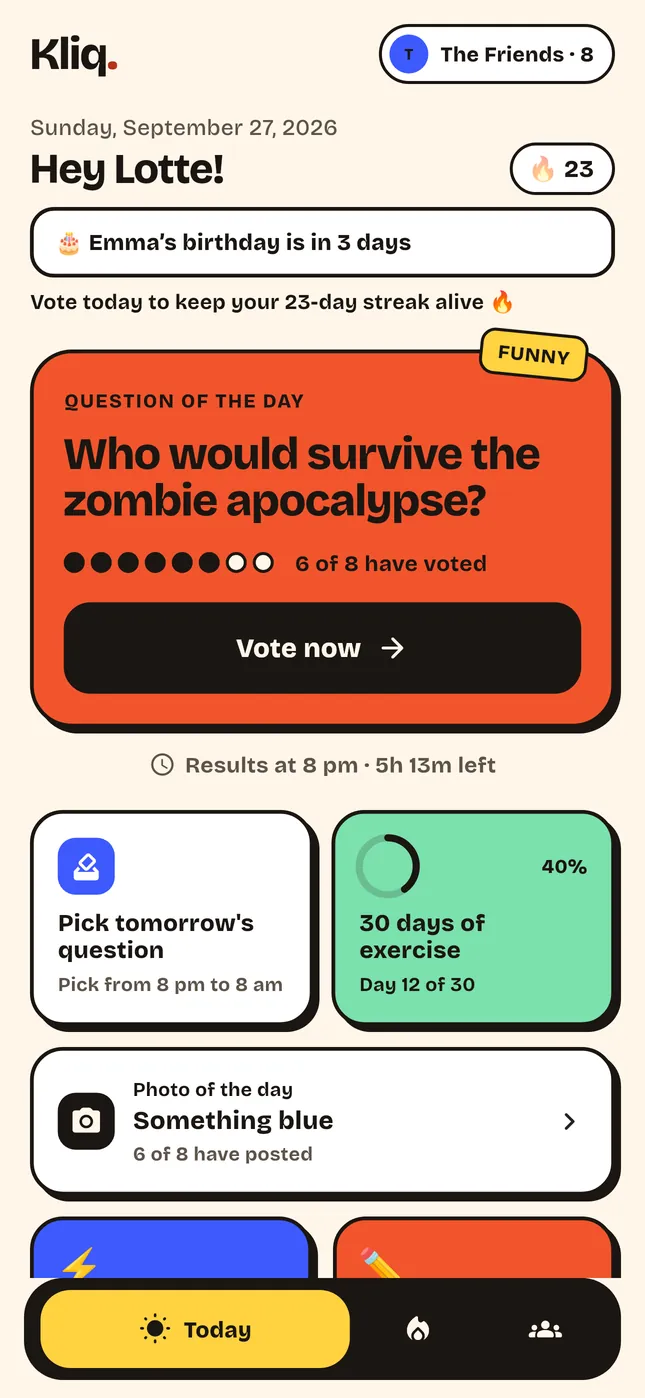
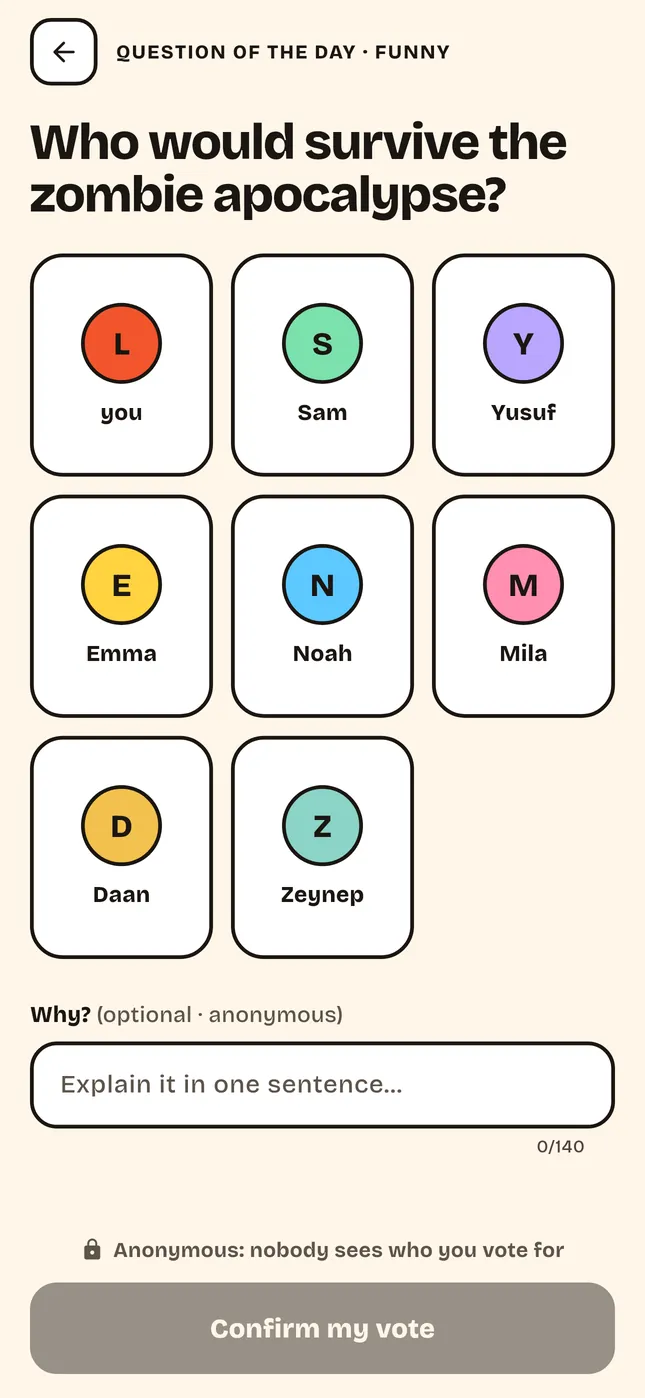
- Open Kliq and tap today’s question.
- Pick the friend you think fits best. For "Would you rather…?" you pick one of the two.
- Add a short note on why. Your reason is anonymous.
- At 8 pm you see the results. React with an emoji to the results or to the best reason.
- After 8 pm you help pick tomorrow’s question. The question with the most votes wins.
3Photo of the day
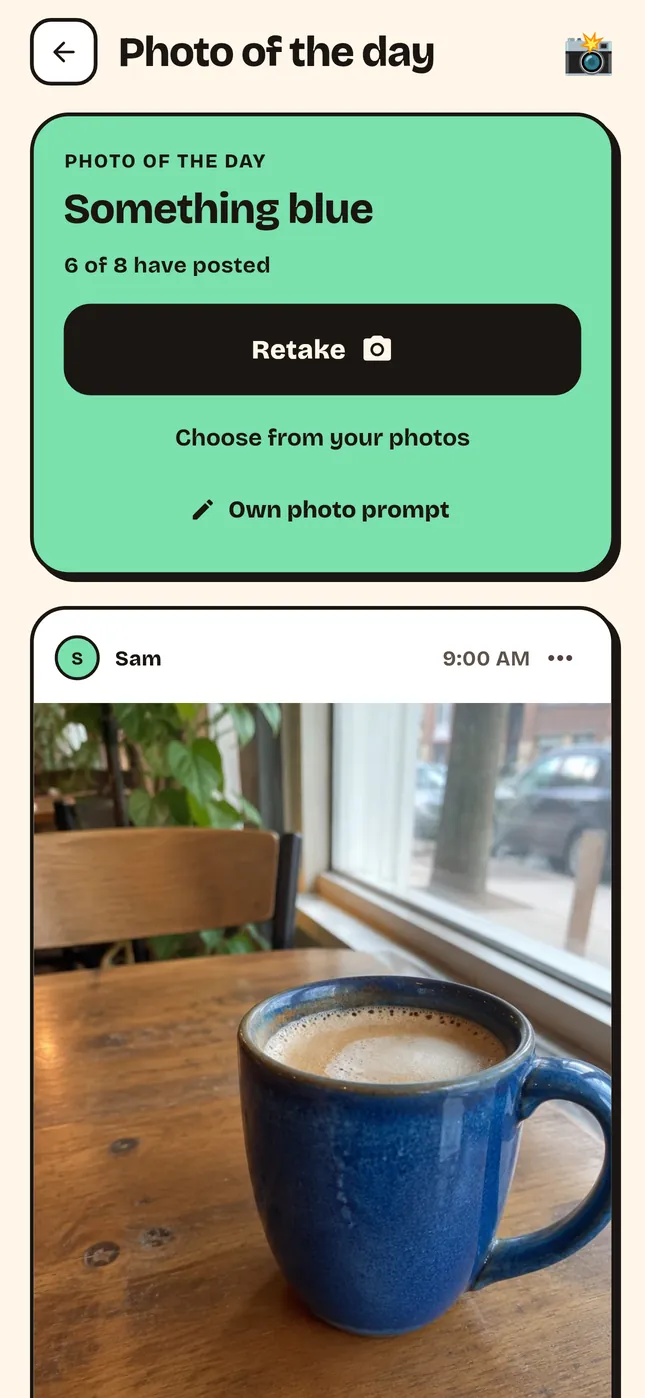
- Tap Photo of the day and read the prompt, for example "something blue".
- Take a photo or pick one from your gallery, and add a short caption if you like.
- Only once you’ve posted do you see the others’ photos. React with an emoji.
- After 48 hours all photos are deleted automatically. Kliq doesn’t keep them.
4Playing Kliq Live
- Tap Live and choose what to play: quiz, "Who of us…?", "Would you rather…?" or "How well do you know…?".
- Put the big screen on a TV or laptop with the link you get.
- Your friends join with the code. Anyone without the app plays in the browser and picks a character.
- Everyone answers on their phone. The faster you answer right, the more points.
- With Pro you can make your own quiz ahead of time and start it at your party.
5Starting a challenge
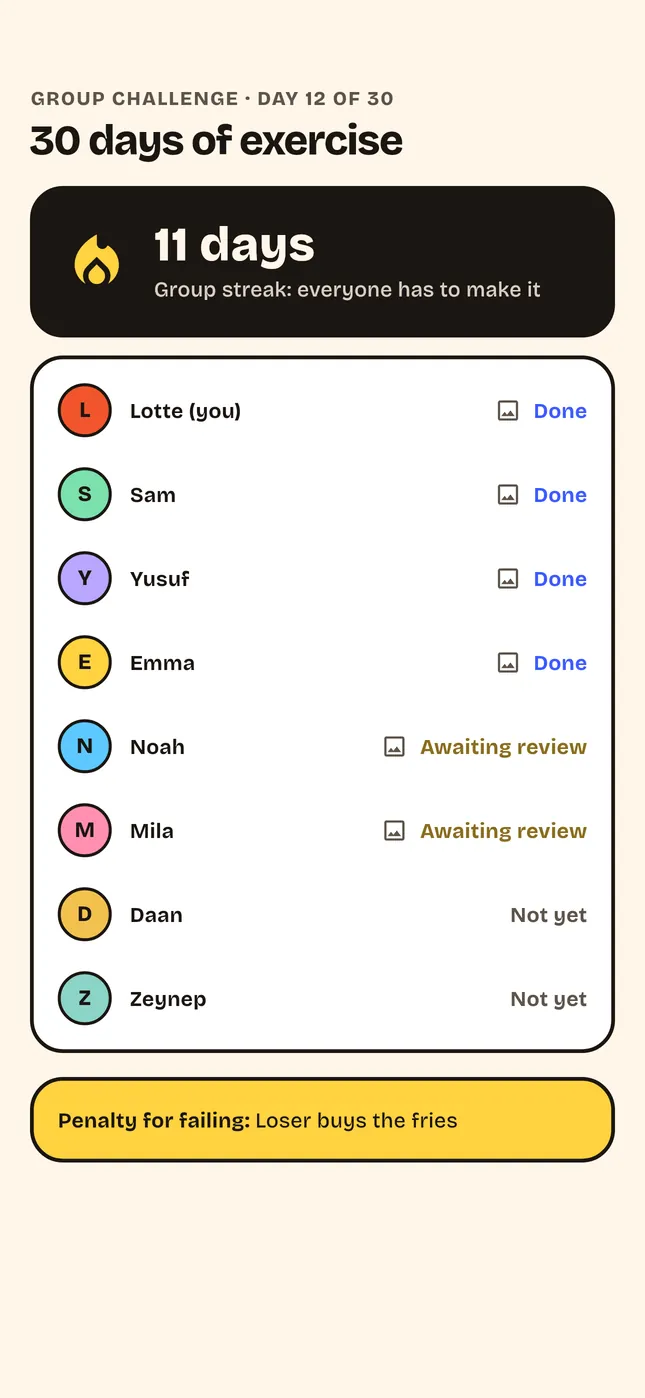
- Go to Challenges and pick an example or make your own, for example work out every day for 30 days.
- Check in every day with a photo as proof, or let your steps count automatically via Apple Health or Health Connect.
- Your friends approve your proof. That keeps it fair for everyone.
6Joining the Kliq League
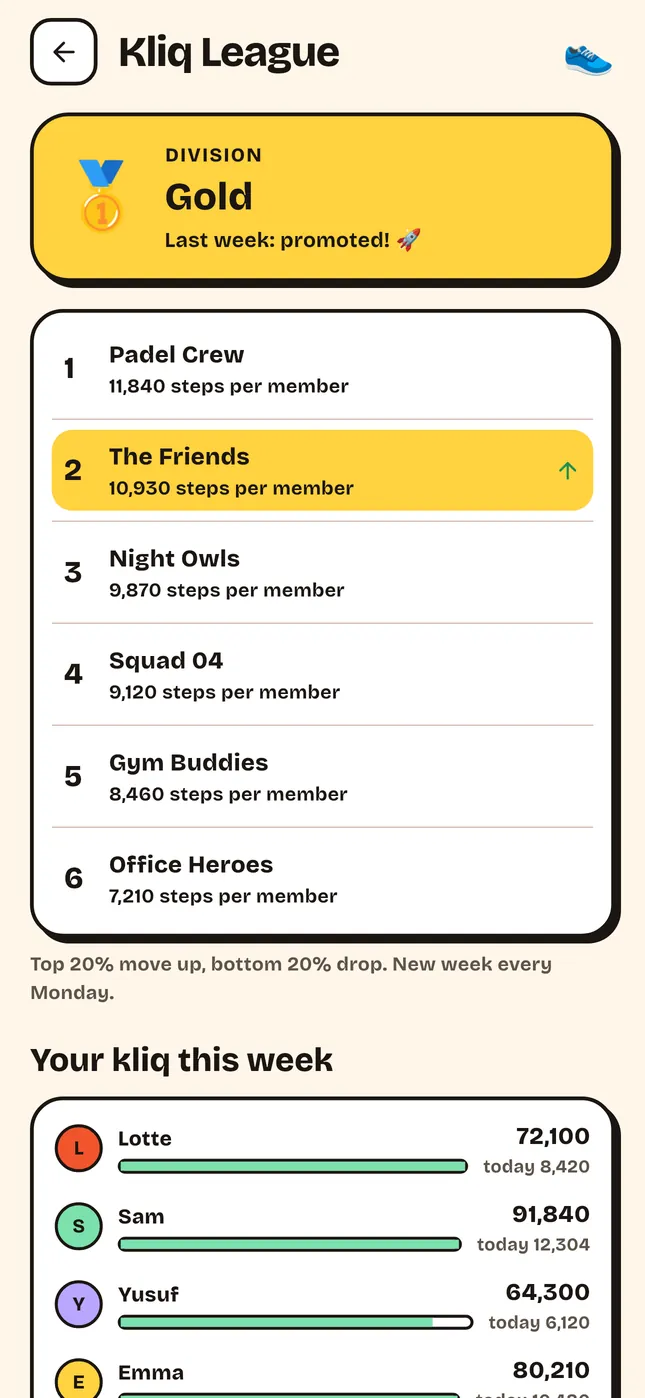
- A group with 3 or more members can sign up for the League.
- Each week counts the average number of steps per member, measured by your phone. Steps entered by hand don’t count.
- The week closes on Sunday evening. The best groups move up a division, from Bronze to Silver, Gold and Diamond.
7Adding the widget
- iPhone: press and hold your home screen, tap the plus at the top left, search for Kliq and choose small or medium.
- Android: press and hold your home screen, tap Widgets and drag Kliq onto your screen.
- The widget shows today’s question, whether you’ve voted, your streak and your group’s latest photo. Tap it to go straight to the right screen.
8Making your own questions and prompts
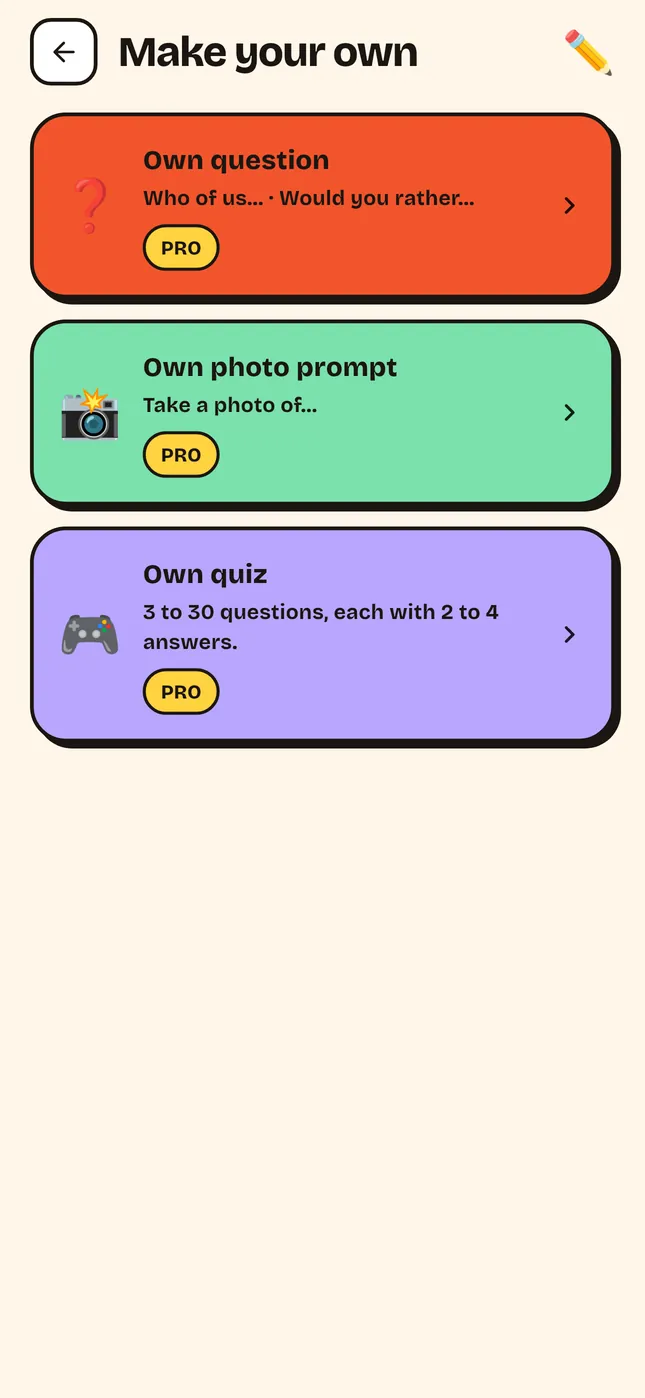
- In your group, tap Make your own.
- Choose your own question, a photo prompt or a quiz.
- Your question or prompt shows up for the whole group on the next free day.
- Every group can try this once for free. After that you need Pro.
9Safety and privacy
- See something that’s not okay? Tap the three dots on a photo or reason and choose Report.
- You can block someone. You then no longer see their photos and reasons. The people you blocked are in your group settings.
- Content that gets reported twice disappears automatically.
- You can delete your account in the app: open your group, scroll down and tap Delete account. You can also use the Delete account page.